

🗺️ Newer Mapbox maps + map options
Rendzo now runs on Mapbox’s latest map engine, and our Mapbox maps have been brought up to date.- Mapbox Standard stays the default.
- Mapbox Satellite now uses Mapbox’s newest satellite style, with cleaner labels and roads.
- Mapbox Outdoors stays for contour lines and trails.
Make the map your own
Click the icon next to Mapbox Standard or Mapbox Satellite in the layers panel. The options open right under the map name, and changes apply instantly:- Theme: Default, Faded, or Mono. Faded and Mono quiet the map so your tracks stand out.
- Light: Day, Dawn, Dusk, or Night.
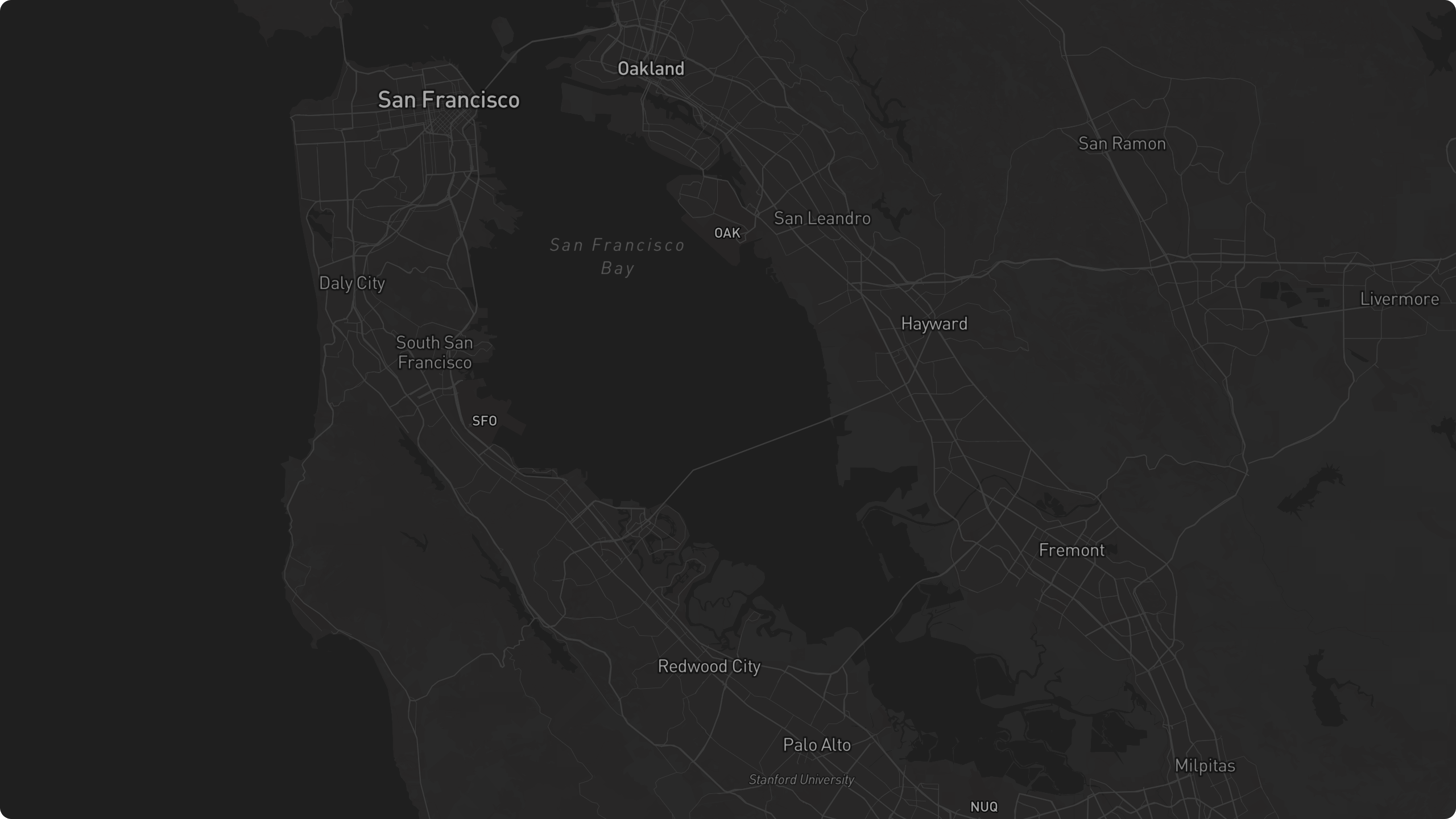
- 3D buildings & trees: turn them off when they block your view of a route in tilted 3D.
- Lane detail: lane markings, turn arrows, and crosswalks when you zoom in close.
- Labels & roads (Satellite): turn off for pure imagery.
Lane-level road detail
Most maps draw roads as flat, featureless ribbons. Mapbox Standard now shows the structure of the road itself: zoom in close and you’ll see:- Individual lane markings, lane types, and turn arrows
- Stop lines, so you can see where each turn lane begins and ends
- Crosswalks and intersections, drawn explicitly
- Elevated roads, bridges, tunnels, and overpasses, including multi-level highway interchanges, in 3D when you tilt the map
🔥 US Active Fires & Wildfire Smoke overlays
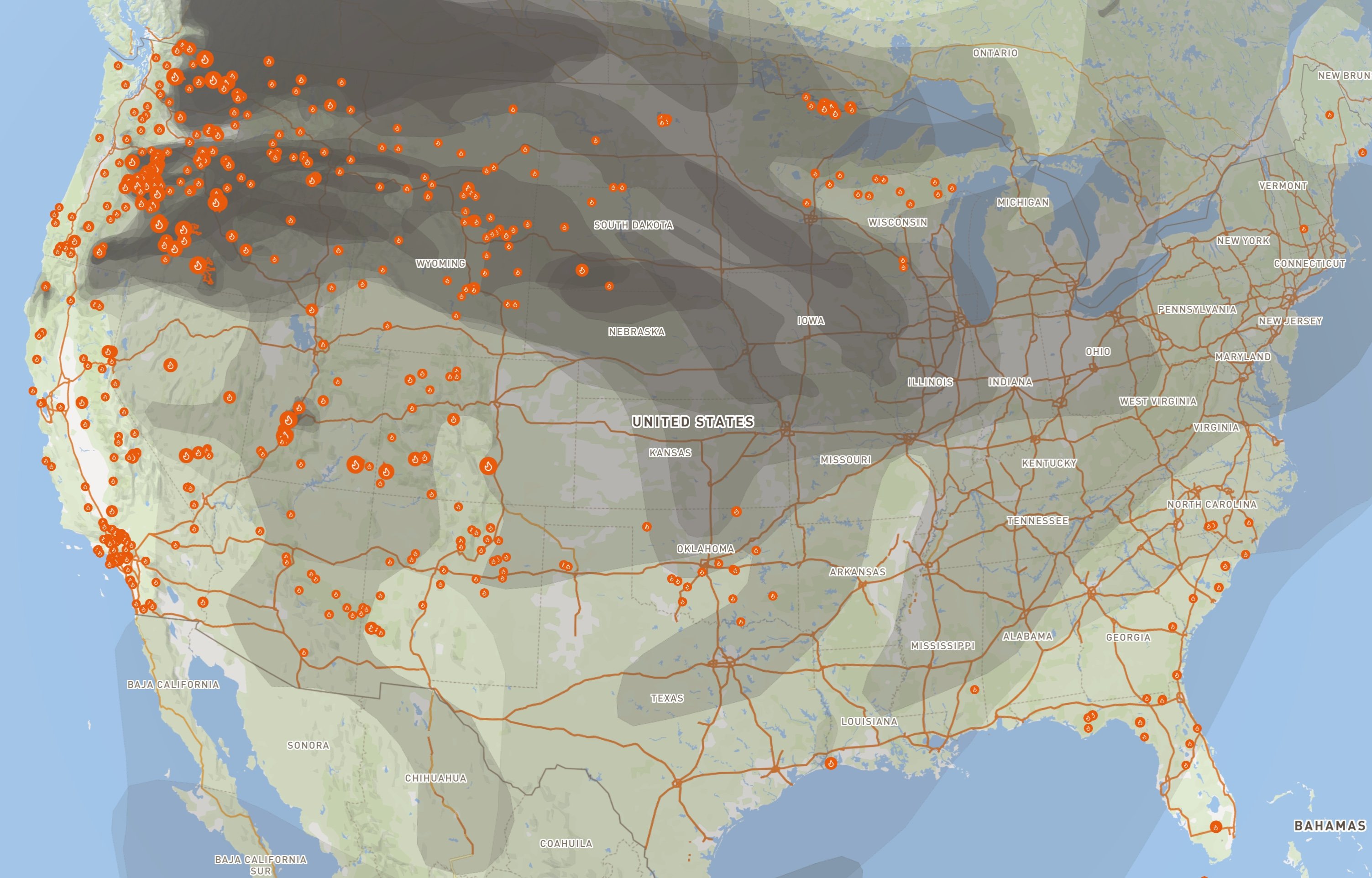
- Acres burned and % containment
- When the fire started and its current behavior
- A link to the fire’s official information page (InciWeb) for closures and evacuation details, where one exists
- Fire data comes from the National Interagency Fire Center — the same interagency feed behind official fire maps — and refreshes on your map about every 5 minutes while the layer is on.
- Fires drop off the map automatically once agencies declare them out or stop updating them.
- Smoke is NOAA’s daily analyst product; the first analysis of the day usually lands around midday Eastern. Until then, Rendzo shows the most recent available analysis — the popup tells you which day you’re looking at.
- Both layers are free on every plan.
🗺️ Map updates
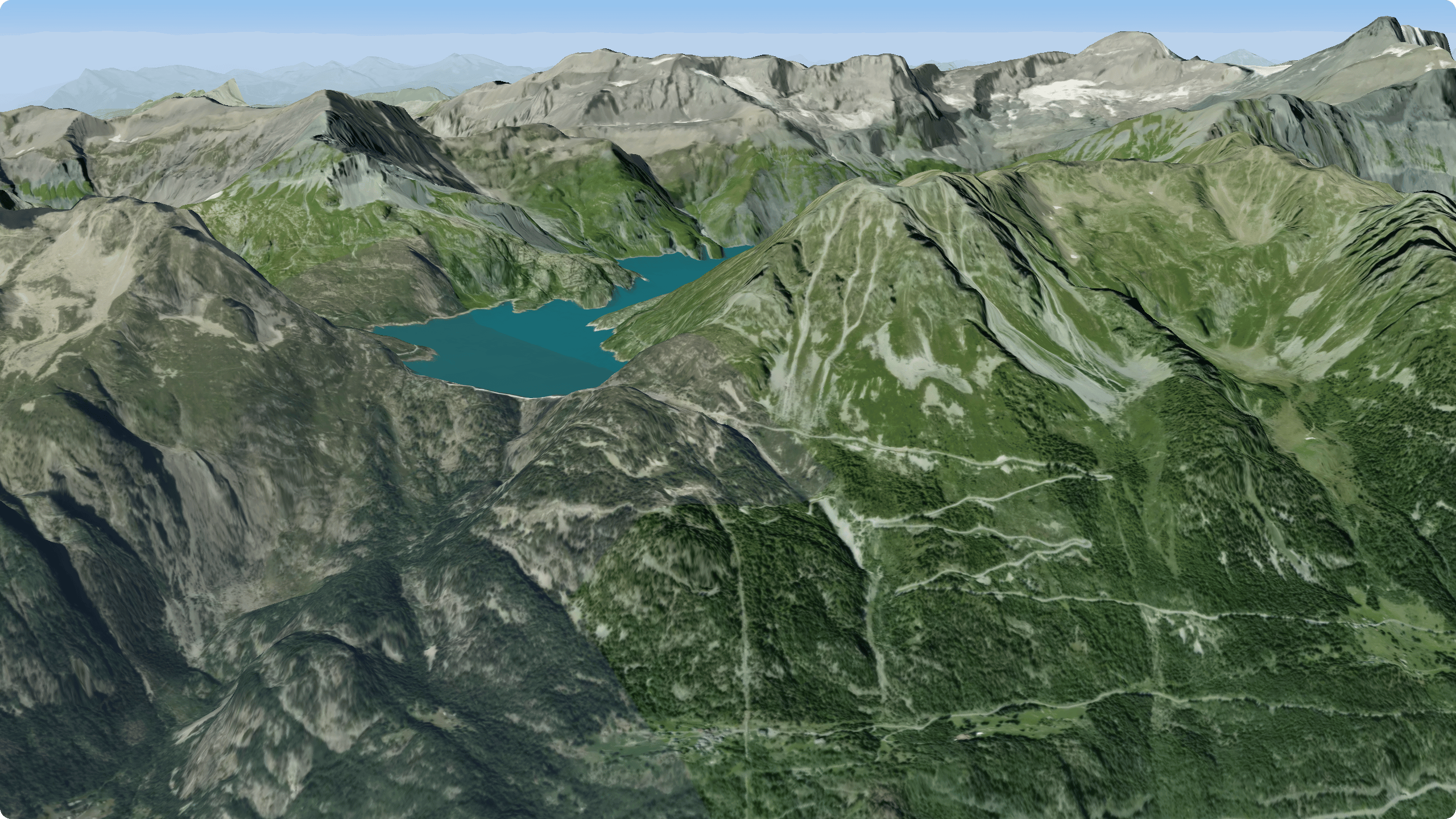
Mapbox Standard - UpdateA modern, fully 3D base map with terrain relief, buildings, and dynamic lighting. Tilt and rotate the map to see hills, valleys, and elevation come to life — great for getting a feel for the lay of the land before your adventure.Best for: visualizing terrain and elevation in 3D, planning around real-world relief.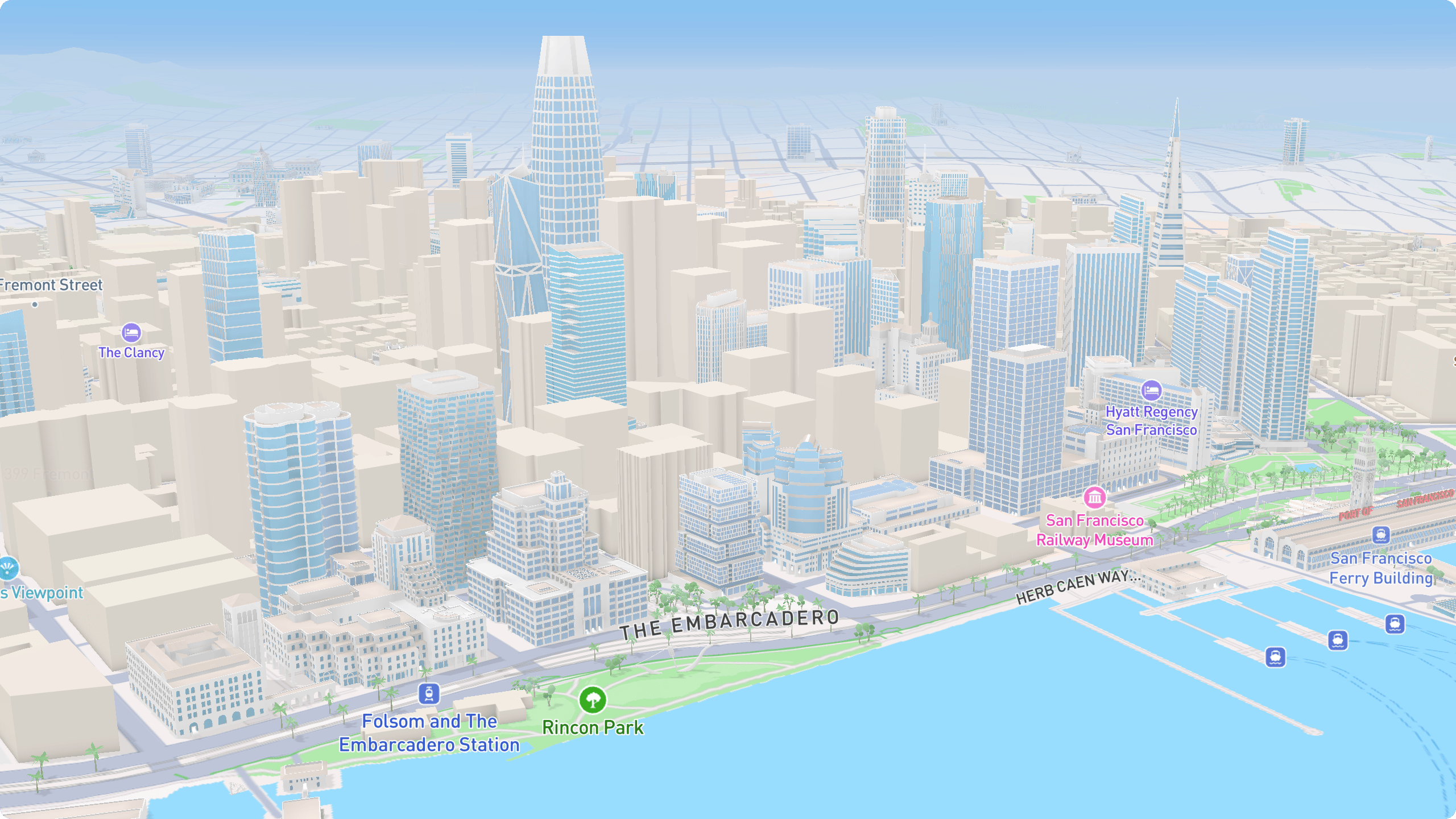
Rendzo off-road map update
We’ve updated the Rendzo off-road map to render road/trail names “above” (on top) of tracks. This is especially useful when planning off-road adventures and you need to ensure your route follows a particular road (or trail) when multiple intersecting routes are available.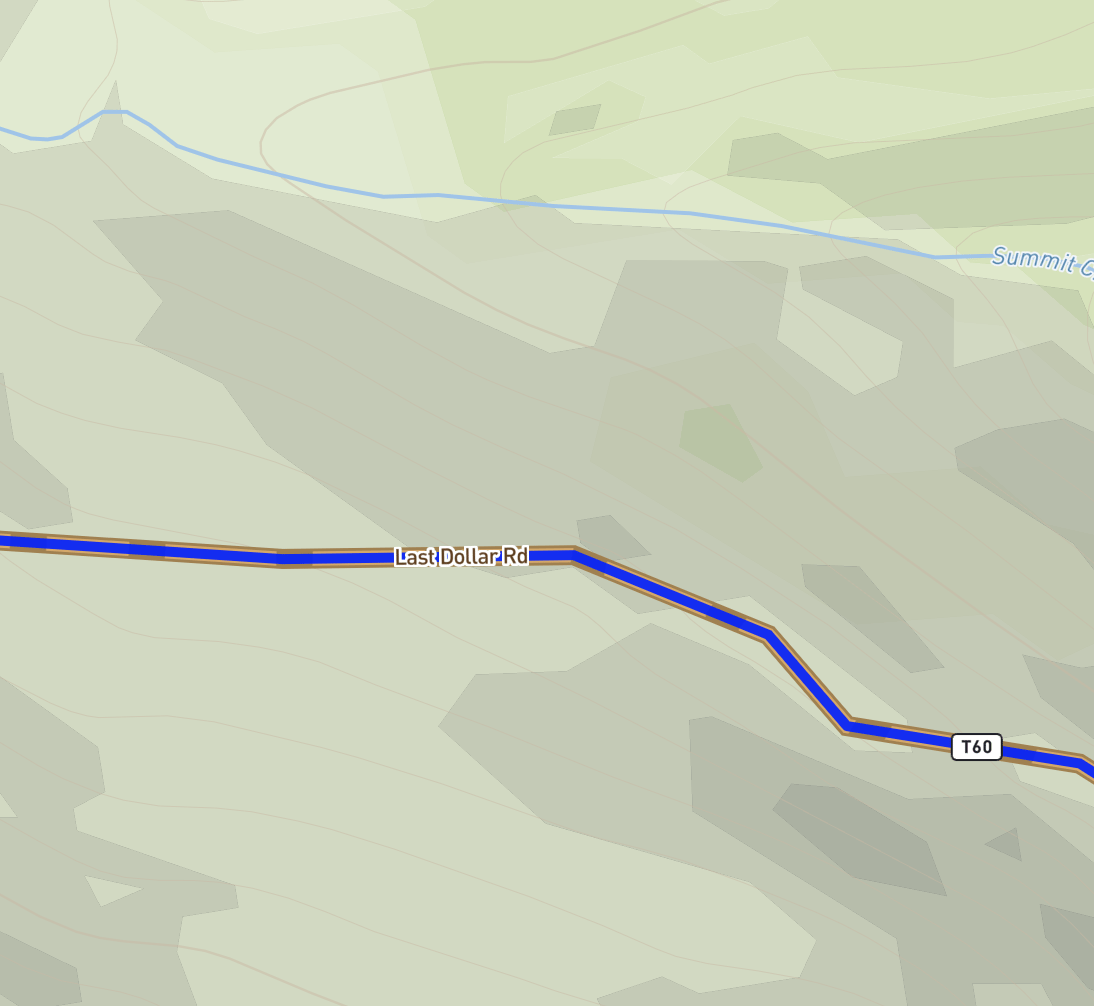
Routing, your way — Expert Mode
We’ve rebuilt routing around vehicles and variants, added quick preferences anyone can use, and added a full editor for fine-tuning every detail of how your routes are built.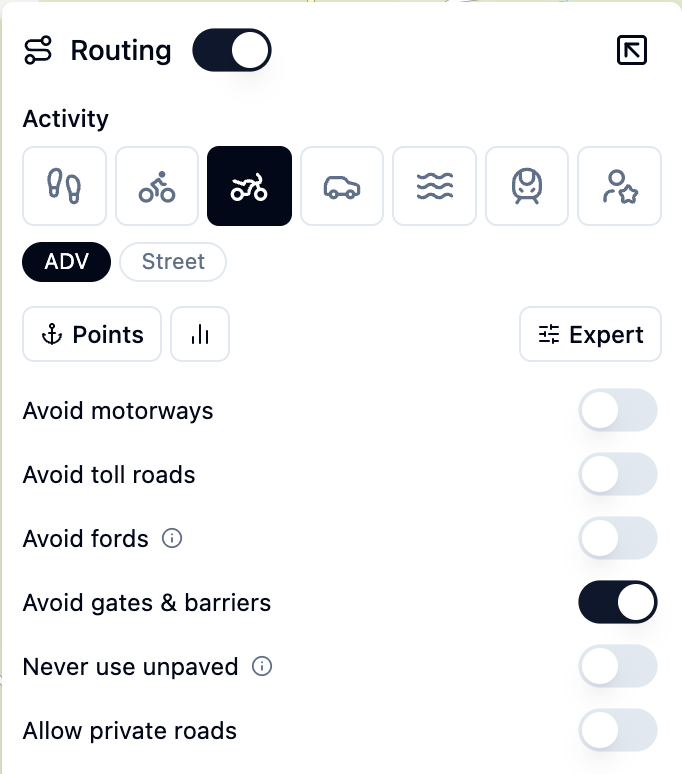
Pick your mode of transport
Choose a vehicle, then select a variant that is tuned as a starting point:Quick preferences
Adjust the route without opening the full editor. Basic preferences let you Avoid climbs, Avoid busy roads, Prefer bike routes, Never use unpaved, and more. The sliders show plain intensities (Slightly → Moderately → Strongly avoid) instead of raw numbers.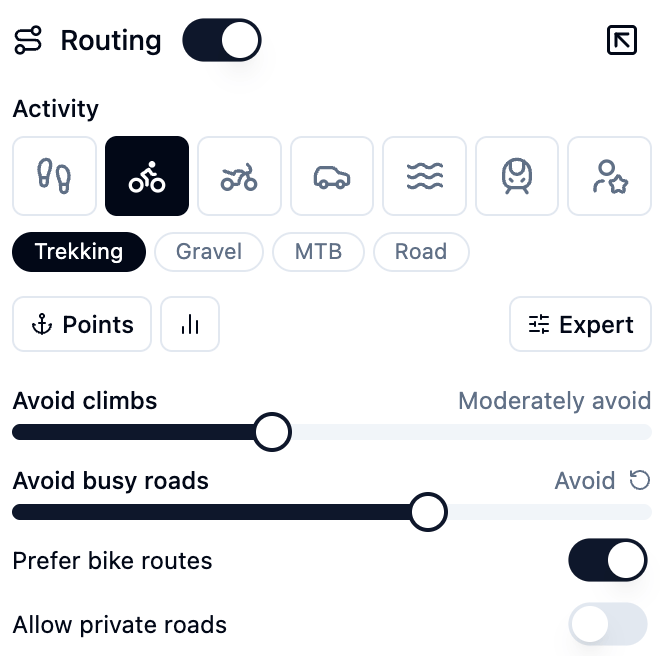
Expert Mode (Pro)
Click Expert to open the full editor for the active vehicle — every routing parameter, grouped by category:- Surfaces & road types — set how strongly the route prefers or avoids asphalt, gravel, dirt, tracks, and each road class
- Hills — uphill and downhill costs and cutoffs
- Environment — prefer rivers and forests, or avoid noise, traffic, and towns
- Vehicle physics — mass, power, and top speed for more accurate time estimates
4.5×, 1.5%, 90 kg), and an (i) explainer for the details. A one-click reset returns any control to its default state.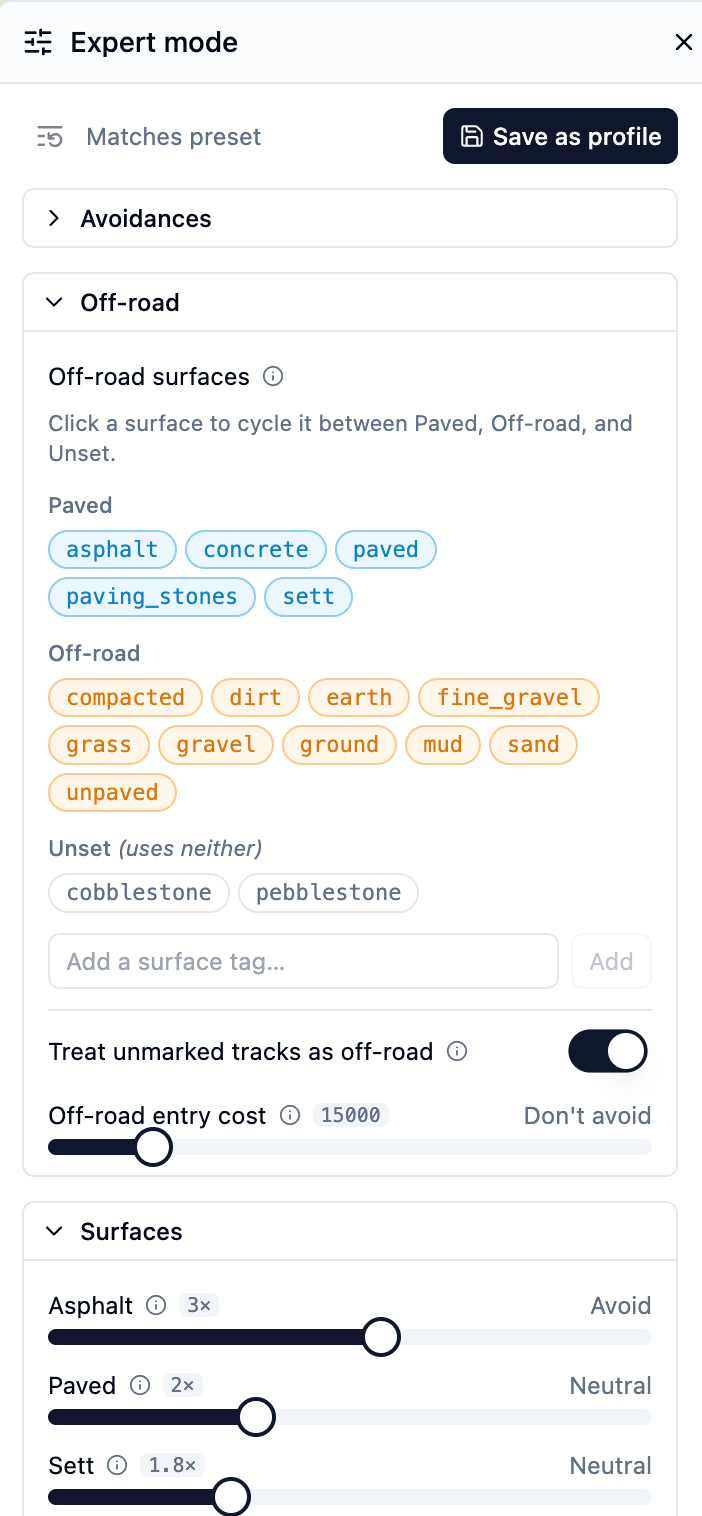
Save, reuse, and share
Found a setup you like? Save as Profile to add it to My Profiles and reuse it on any track. You can also export and import profiles — as a Rendzo.json, or a raw BRouter .brf.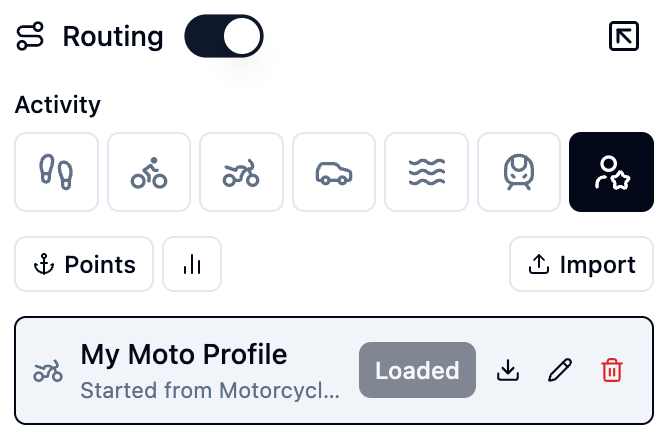
Expert mode and saved profiles are Pro features. Basic preferences are free for everyone.
Surface Data, Reimagined
Knowing what’s under your wheels or feet - asphalt, gravel, dirt, or sand - is make-or-break for planning routes, and we’ve rebuilt Surface Data from the ground up to get it right.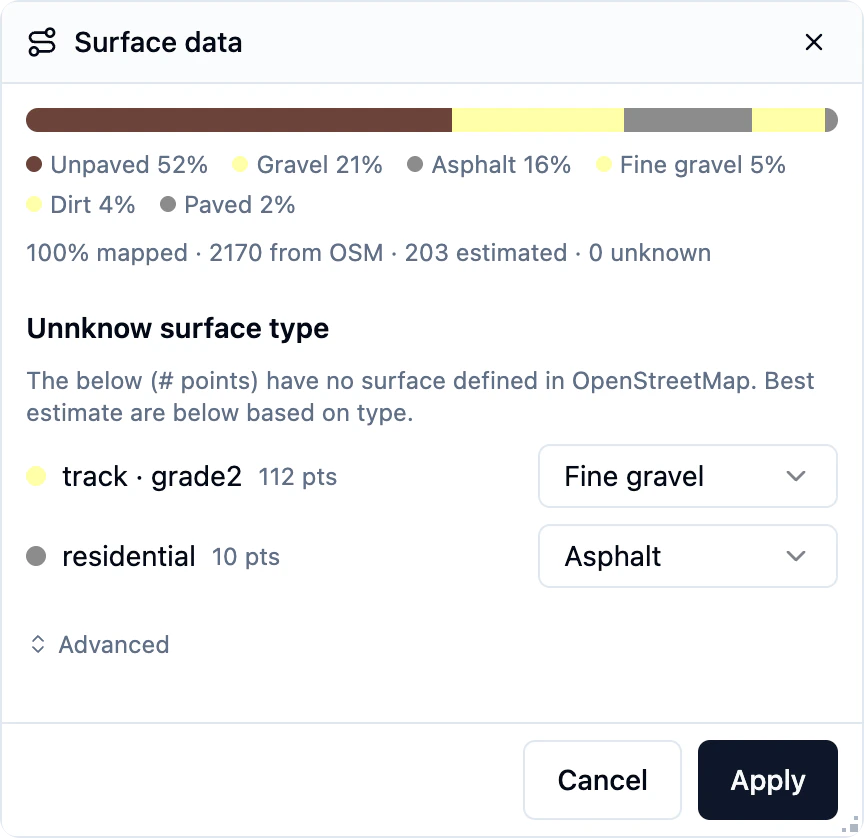
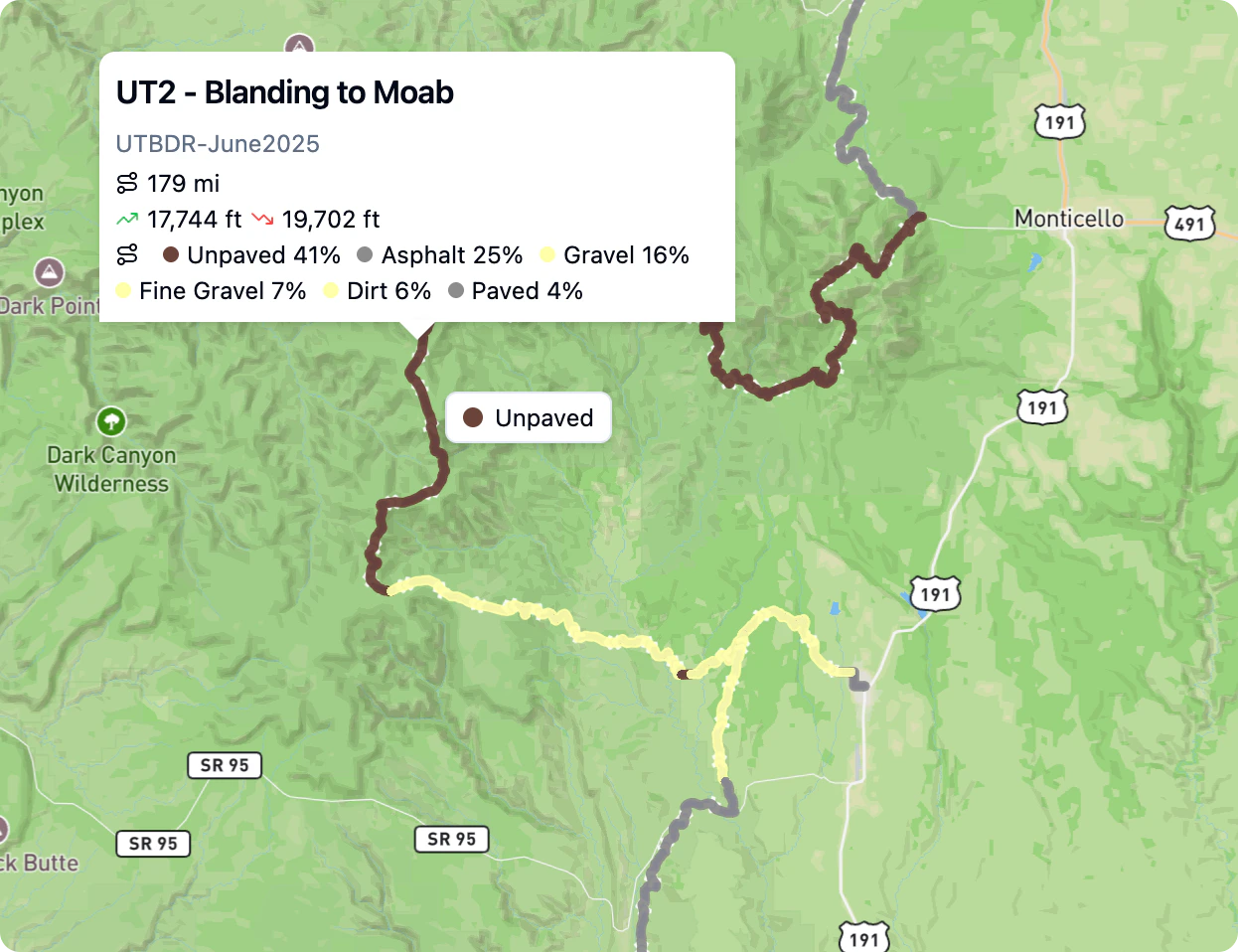
- Live preview - surfaces appear instantly on both the map and the elevation profile, with the base track dimmed so the colors pop. Nothing is written to your file until you press Apply.
- Coverage at a glance - see exactly how much came straight from OpenStreetMap, how much was estimated, and how much is still unknown.
- Resolve only the real gaps - Rendzo lists just the road types it couldn’t tag, each with a smart default (grade-aware, so a rough 4x4 track guesses “dirt” while a smooth one guesses “compacted”). Change any of them, and the map and profile will instantly recolor.
- Review panel - the panel floats over the map, so you can pan and zoom while you review. Hover the track to read the surface under your cursor.
Google Street View is now greatly improved
Street view now lives fully inside Rendzo — no more bouncing out to Google Maps in a new tab. Click anywhere on the map (or hover along a track’s elevation profile, or drag an anchor in the routing tool), and the new floating window shows ground-level imagery for that exact spot, facing the direction of travel.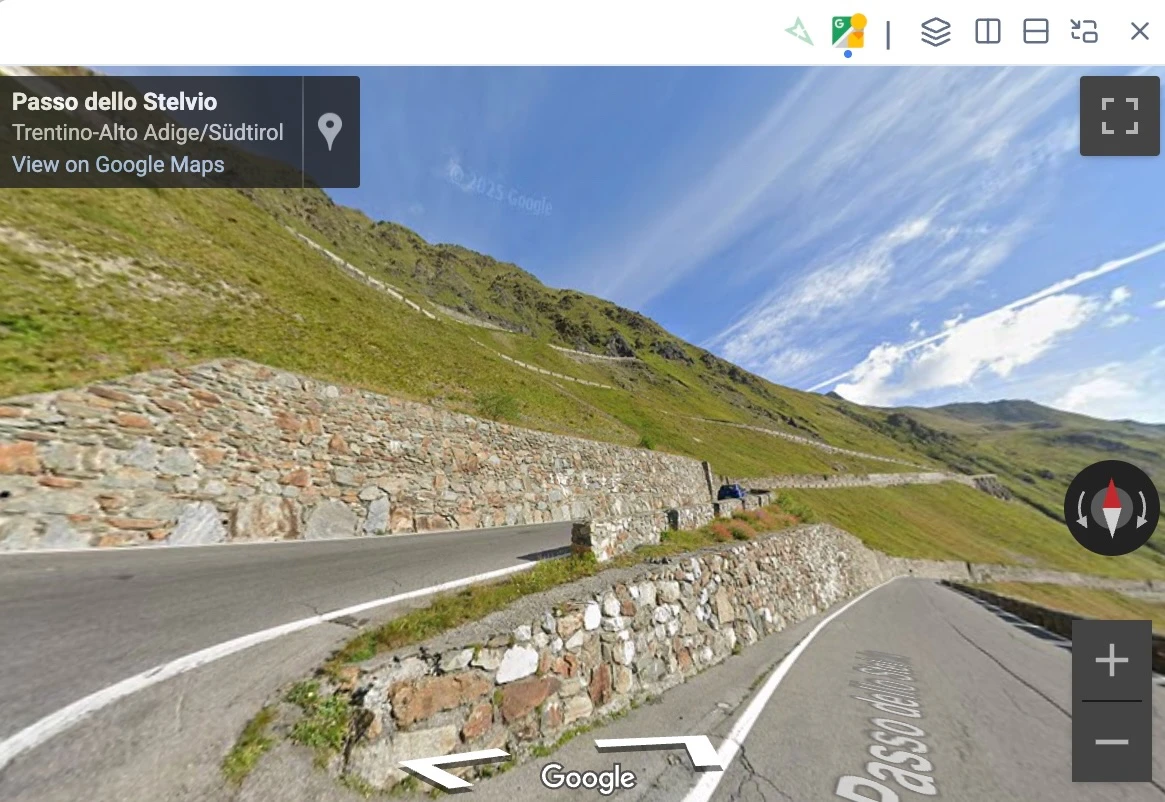
- Two providers: Google Street View (default) and Mapillary, switchable from tabs in the window header. Google for comprehensive road coverage, Mapillary for trails and off-road.
- Optional Mapillary coverage layer with a live-hover preview — turn on the green-dot overlay and the viewer follows your cursor as you move along a road.
- Route planning integration: with the routing tool open, the viewer follows every anchor you add or drag, so you can plan turn-by-turn while watching the actual terrain.
- Flexible layouts: floating window (draggable + resizable), split left/right/top/bottom, or popped out into its own browser window (handy on a second monitor).
Reroute Tool (Pro · Experimental)
Imported a GPX that wanders off-road? Have a recorded ride with GPS jitter you want cleaned up? The new Reroute tool rewrites your track so it follows actual roads and trails — without ever modifying the original file. Two modes:- Routing mode — picks anchor points along your track and computes a clean line between them along the road network. Detects suspicious sections (big detours, U-turns) and lets you review them one at a time, with Accept / Reroute / Use original / Delete options per section.
- Preserve trackpoints mode — keeps every original trackpoint and just snaps each one to the nearest road. Preserves your timestamps, heart rate, cadence, power, and other extension data — perfect for cleaning up recorded rides without losing the sensor data.
Reroute is a Pro feature. Starter users see the tool in the toolbar with an upgrade prompt.
Import Google Maps URLs
Clearer Dashboard Status: “Open” instead of “Local”
The Dashboard’s Status column and toggle card used to label files as “Local” when they were loaded in the App — which was confusing, since every file is already on the server. We’ve renamed that label to “Open” with a hover tooltip (“Open in app”) so it’s obvious what it means. See the updated FAQ entry for the full explanation.Track Hover
Many times, when you have many GPX files and tracks open in the App (or shared page), it can be hard to determine which track is which. We’ve added a Hover pop-up to show which track you’re hovering over in the App (same for Waypoints, Media, and now Tracks).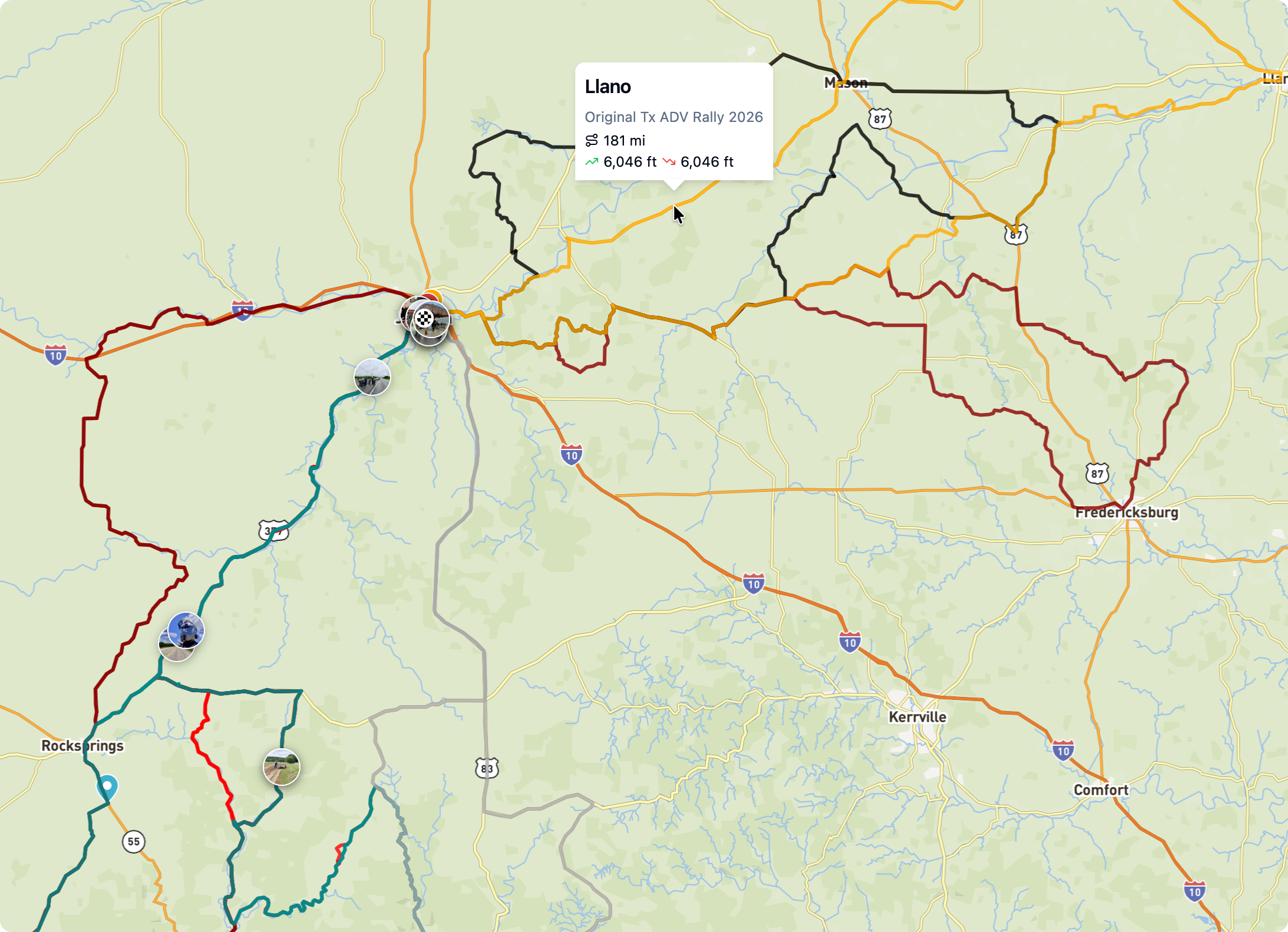
Improved Undo Support
Undo worked well for basic edits but often didn’t have the intended behavior when doing more complex edits like splitting tracks, duplicating sections. We’ve updated the undo feature to better support more complex edits.Better Photo Organization
The Dashboard’s Media area now has a Hierarchy view (the third icon in the view switcher, next to Grid and List). It shows every photo nested under the folder, file, or waypoint it’s attached to — so you can see at a glance where your images belong.Photos can be attached to as many places as you want. A single image can live under a folder, a specific GPX file, and a waypoint inside that file — all at once. It’ll show up under each one in the hierarchy.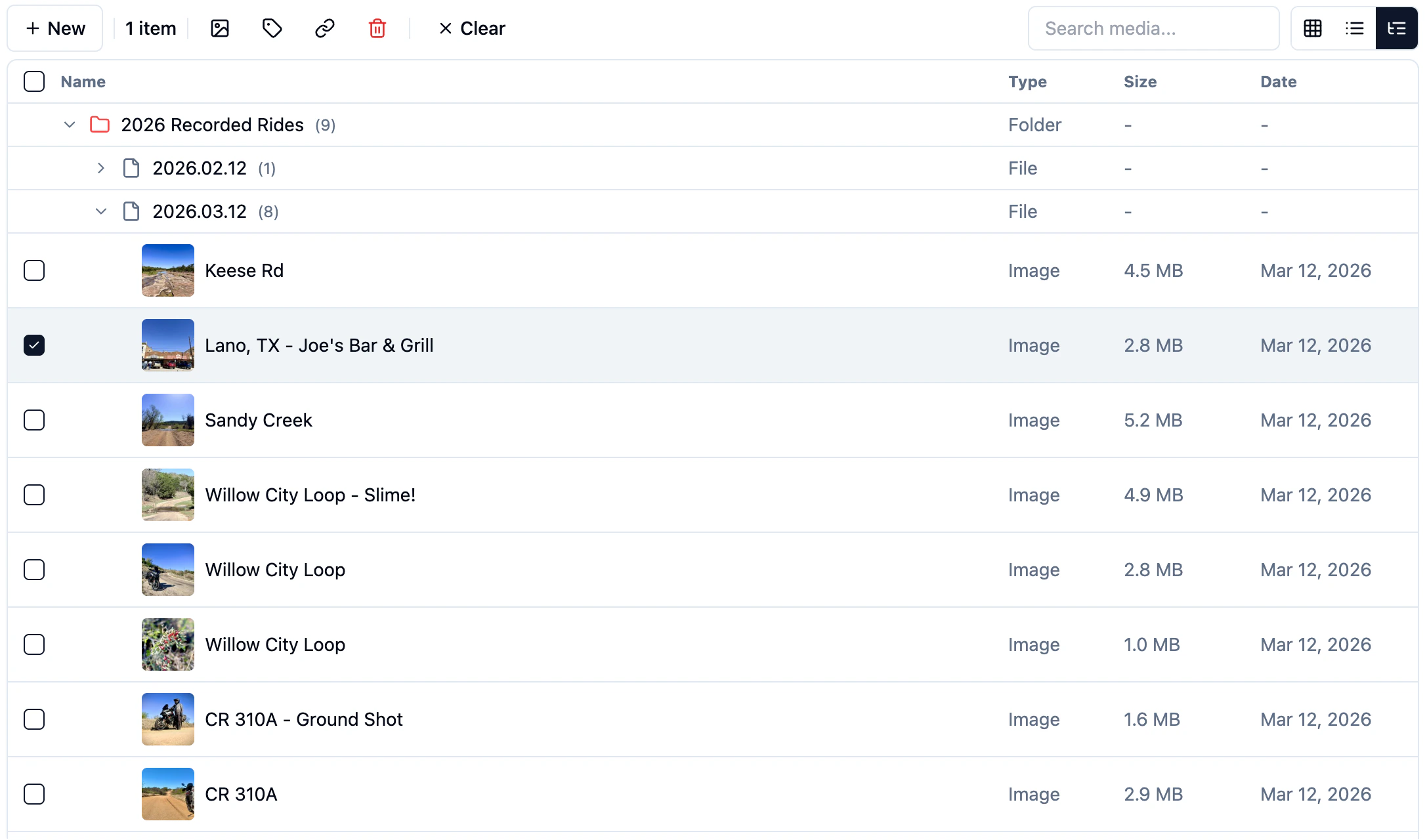
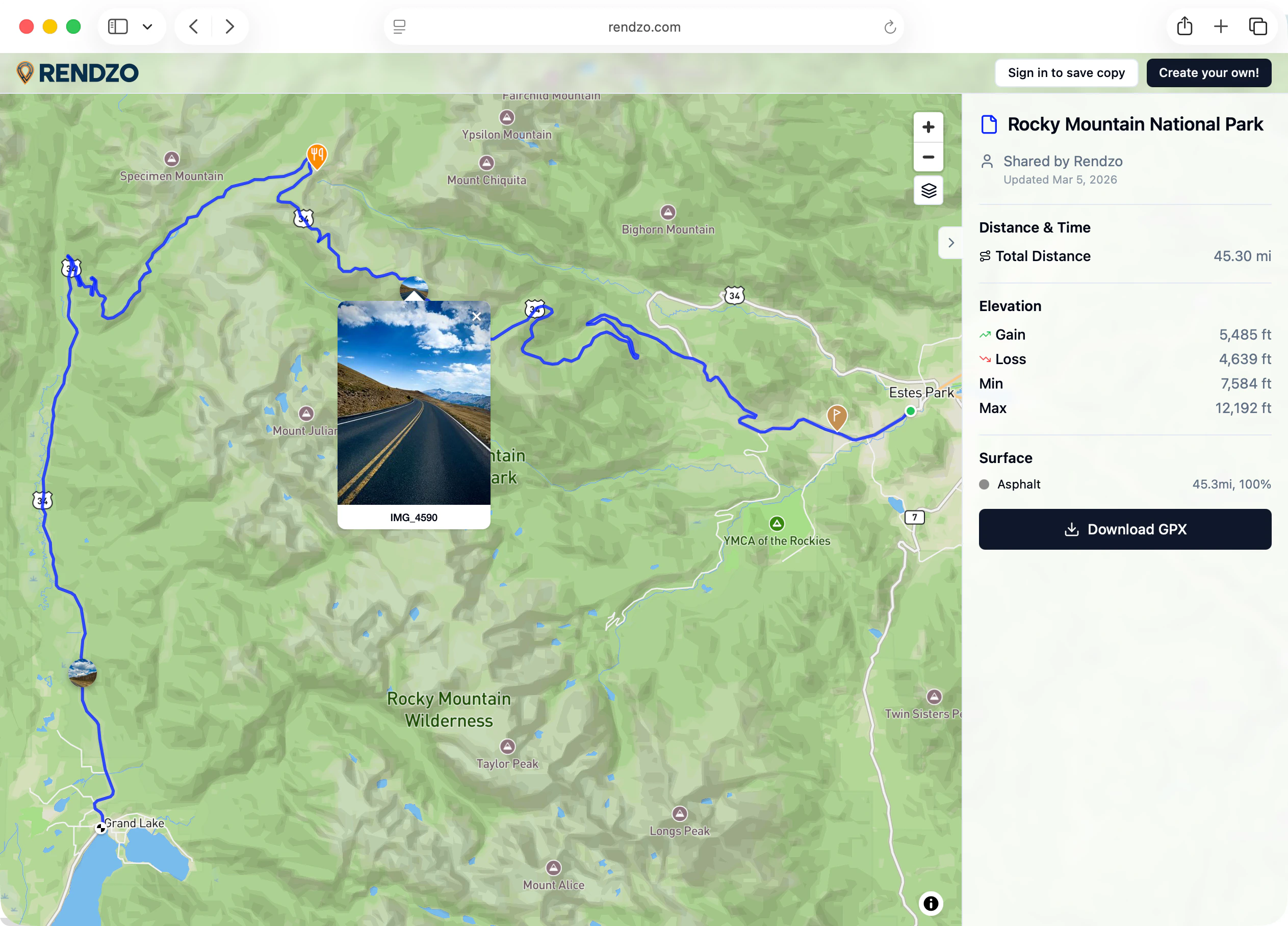
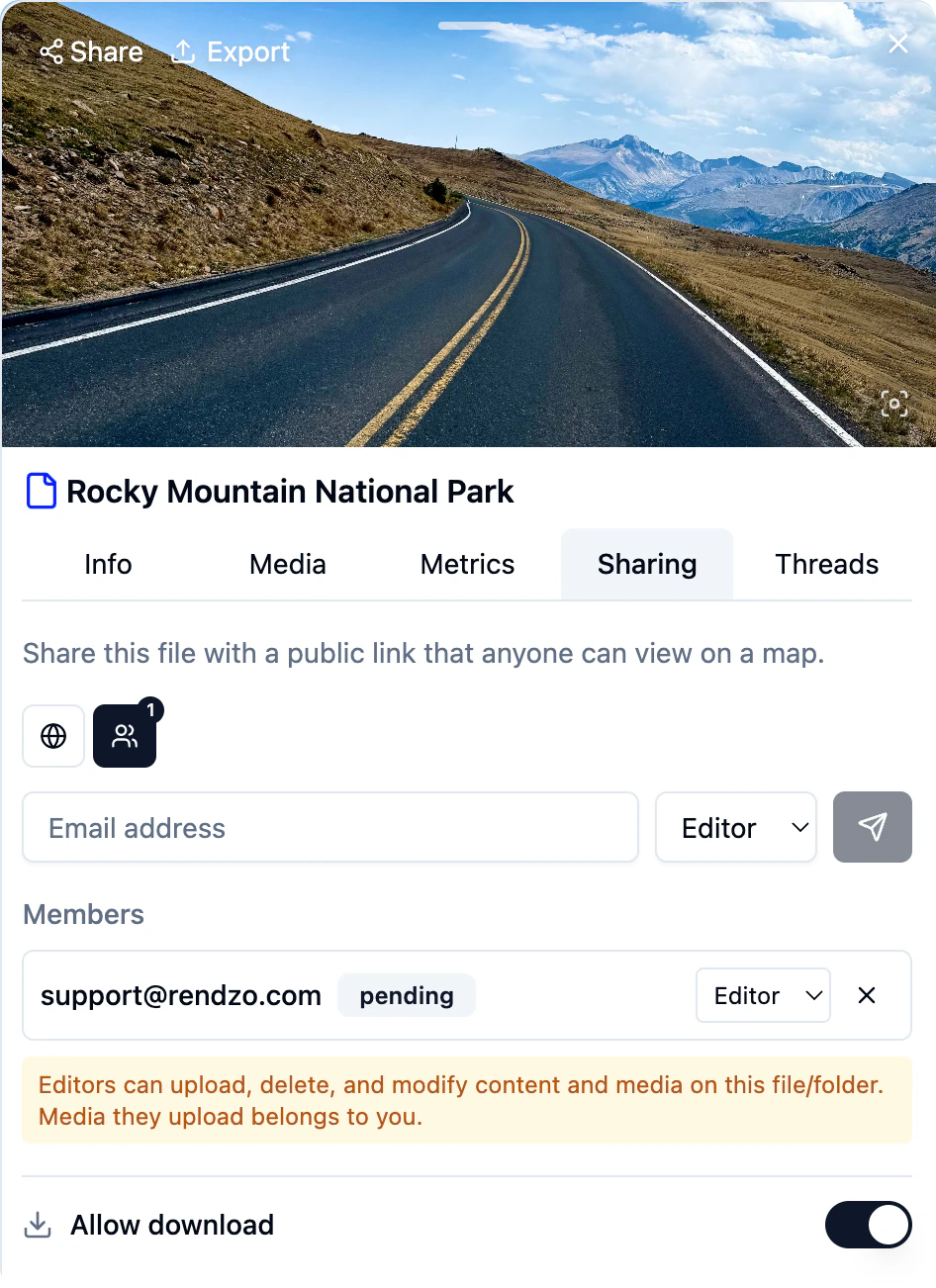
New Map type — Rendzo offroad
A custom map style designed for overlanding, off-road adventures, and backcountry exploration.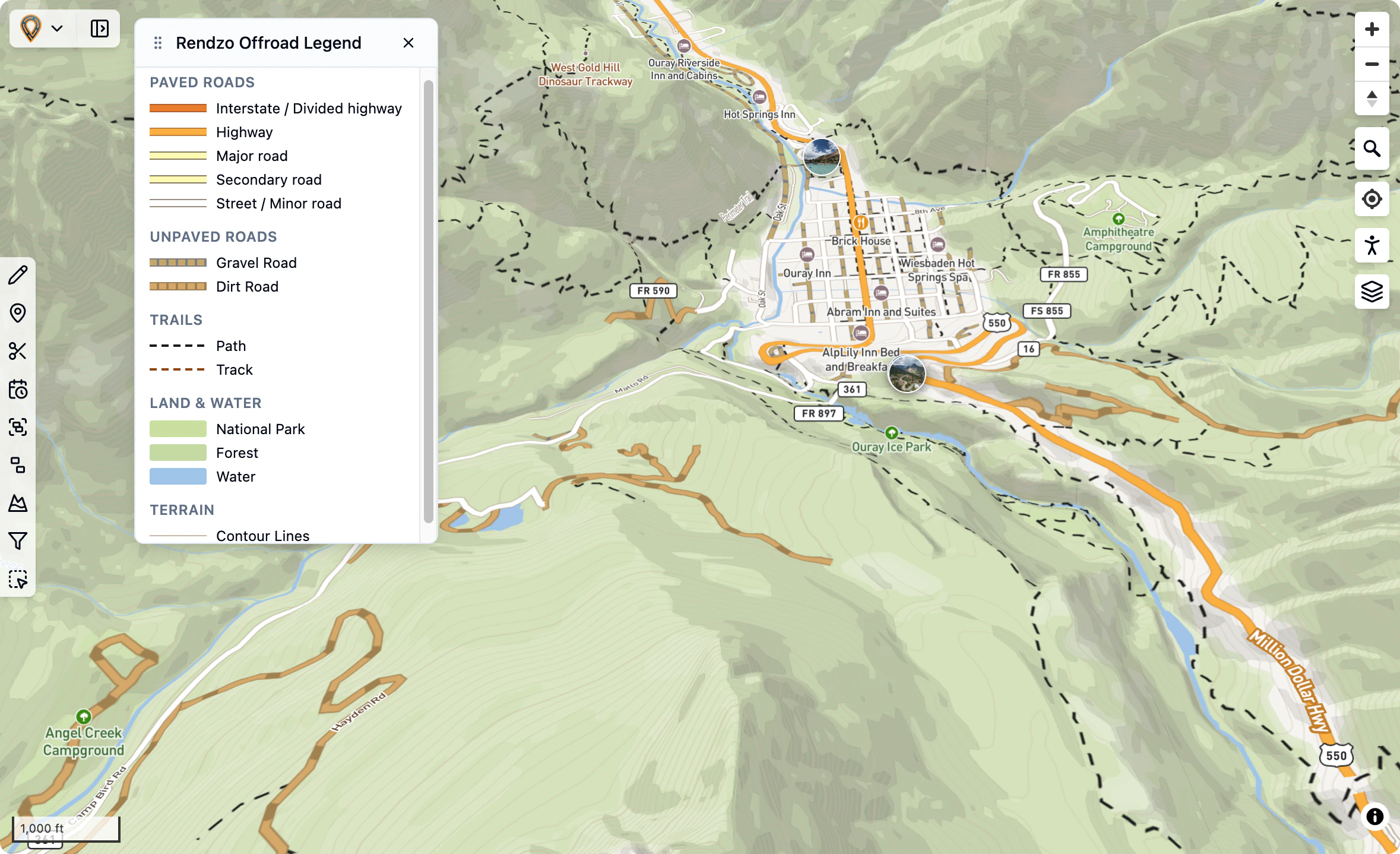
- Paved roads - Highways, primary, secondary, and tertiary roads shown in solid lines
- Gravel roads - Dashed tan lines with gray casing
- Dirt roads - Dashed brown lines
- Tracks & paths - Thin dashed lines for 4x4 trails and hiking paths
- National parks and protected areas in green
- Forests in light green
- Water bodies in blue
- Contour lines for terrain visualization
- Unlike other maps, the new Offroad map has fully clickable embedded POIs (in addition to the OSM POI Layers that can be enabled). This allows for easy adding of Waypoints (from map-based POIs).
US Public Lands Overlays
Available under Overlays → United States: USFS Motor Vehicle Use- Official US Forest Service Motor Vehicle Use Map (MVUM) data showing roads and trails open to motorized vehicles on
National Forest lands.
Bureau of Land Management Ground Transportation data showing roads, trails, and access routes on BLM-managed public lands.New Routing Profiles – Car and ADV Motorcycle available in the Routing tool
The ADV Motorcycle profile routes through tracks, unpaved roads, and other off-road-accessible ways that the Car and Motorcycle profiles avoid. With “Avoid motorways” on by default, it prefers scenic back roads and secondary highways.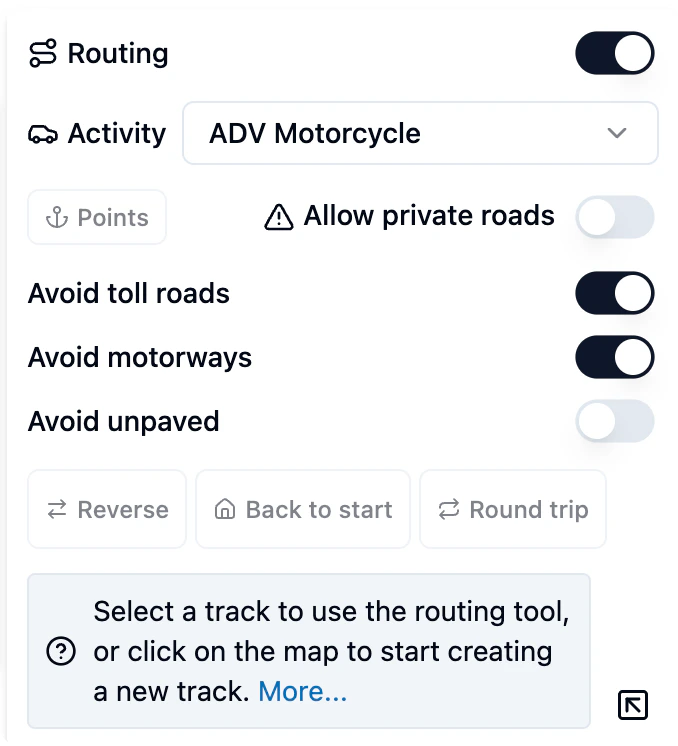
New Anchor Point feature for the Routing tool.
Anchor points are control points that define your route. When you create a route using the routing tool, anchor points mark the key locations the route passes through. The routing engine calculates the best path between these points based on your selected activity type (cycling, hiking, etc). You can reorder Anchor points by dragging up or down or delete a point.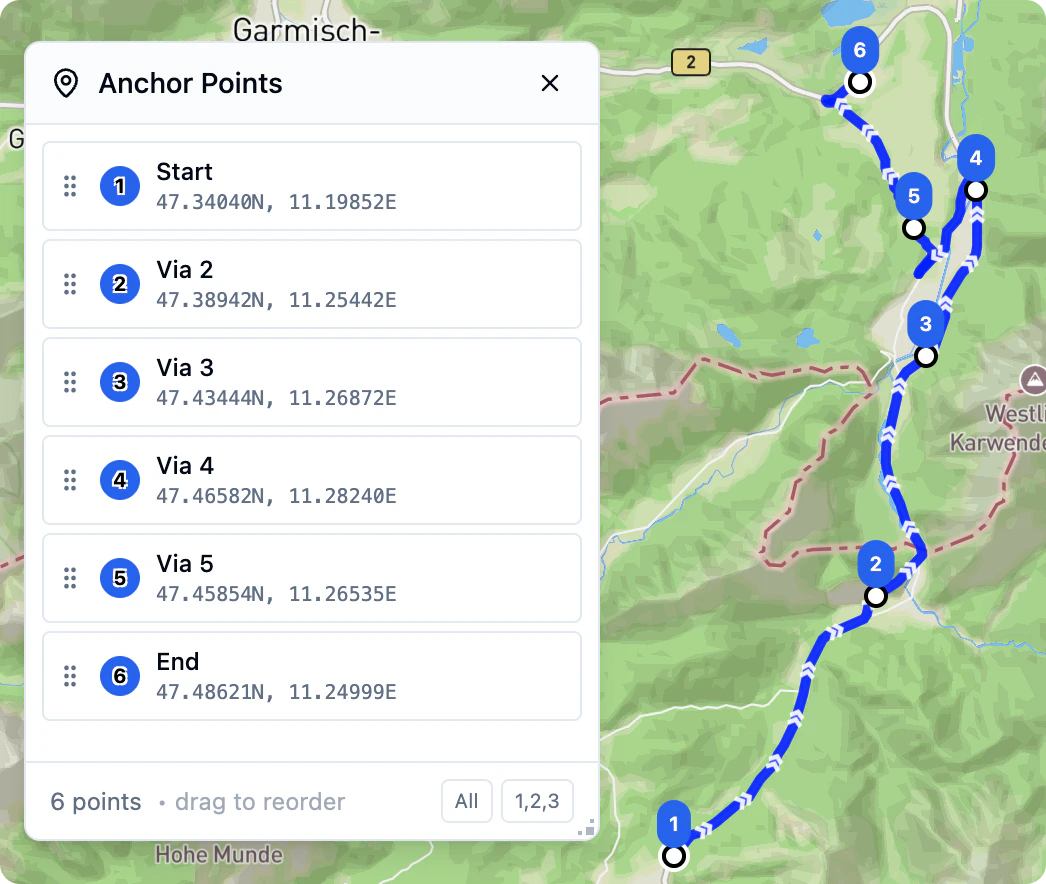
Rendzo.com transforms gpx.studio—an excellent open-source GPX editor—into a full cloud platform for managing your outdoor adventures. Your data lives in the cloud, syncs across all your devices, and is always available for you.
Built on Open Source ❤️
Rendzo.com was originally built on the foundation and work of gpx.studio, created by Valentin Rüeck.The start of this wouldn’t have been possible without the support of the open-source community.
Our goal with Rendzo was to build and greatly enhance the foundation by adding a cloud platform that makes it easier to organize, plan, manage, and relive outdoor adventures all in one place.
Our goal with Rendzo was to build and greatly enhance the foundation by adding a cloud platform that makes it easier to organize, plan, manage, and relive outdoor adventures all in one place.
A True Cloud Platform
Your Data, Everywhere
Unlike traditional desktop apps or browser-based editors that store files locally, Rendzo is a complete cloud application. Your GPX files, photos, folders, tags, and settings are all stored securely in the cloud and available from any device, any browser, anywhere.Always Backed Up
No more worrying about losing your adventure data to a hard drive failure or accidentally clearing browser storage. Everything is safely stored in our cloud infrastructure with automatic backups.Secure Authentication
Sign in with your account powered by Auth0—the same secure authentication used by major companies. Your data is isolated and protected, accessible only to you.Your Data In-Sync
Make a change on your laptop, and it appears in the cloud almost instantly. Our near real-time synchronization means you’re always working with the latest version of your data, no matter which device you’re on.Cloud Storage, Local Editing
Manage your GPX files and associated media in the cloud and not only on your local hard drive. This means you can access it from anywhere.The Dashboard Experience
Your Adventure Hub
The dashboard is your central command center for managing all your outdoor data. See all your files, folders, and recent activity at a glance.File Management
- Store everything online — Choose which files appear on the map without deleting them
- Multi-select — Select multiple files to move, tag, or organize in bulk
- Sort & Filter — Find files by name, date, tags, or folder location
- Move and organize — Reorganize files and folders intuitively and use Tags for easy reference
Folder Organization
Create unlimited folders and subfolders to organize by trip, region, year, activity type—whatever works for you. The folder system scales to handle thousands of files while staying fast and responsive.Server File Browser
Browse, search, and manage all your cloud-stored files. Open files to view on the map, or manage your entire library without loading everything at once.Local App Visibility Control
Control what’s visible on your map independently from what’s stored. Hide files temporarily without affecting your organization, then bring them back with a click.File List with Quick Actions
Hover Controls
Every file in your list reveals quick-action icons on hover—no right-click menus or extra clicks needed. Instantly access the most common actions:- Eye Icon — Toggle visibility on the map
- Folder Icon — Move to a different folder
- Tag Icon — Add or remove tags
- Trash Icon — Delete the file
- More Options — Access additional actions
At-a-Glance Status
See file status instantly with visual indicators for visibility state, sync status, and tags—all without opening the file.Keyboard Navigation
Power users can navigate the file list with keyboard shortcuts for even faster workflow.Info Panel & Statistics
Comprehensive Stats
Select any file to see detailed statistics in the info panel:- Distance — Total length of your route
- Elevation Gain/Loss — Cumulative climbing and descending
- Duration — Total time if timestamps are present
- Min/Max Elevation — Highest and lowest points
- Average Speed — If time data is available
Track & Segment Details
Drill down into individual tracks and segments. See stats for each section of multi-track files.Editable Metadata
Edit file properties directly in the info panel:- Name — Rename your file
- Description — Add rich text notes with formatting
- Author — Track who created the route
- Tags — Manage tags inline
Waypoint List
See all waypoints for the selected file in a scrollable list. Click any waypoint to center the map on it and see its details.Interactive Elevation Profile
Visual Elevation Chart
See your route’s elevation profile as an interactive chart. Hover over any point to see the exact elevation and distance at that location.Waypoints on the Profile
Waypoints appear as markers directly on the elevation chart, showing exactly where each point of interest falls along your route’s elevation profile. Perfect for understanding the terrain at key locations.Chart Interaction
- Hover — See elevation and distance at any point
- Click — Jump to that location on the map
- Zoom & Pan — Focus on specific sections of your route
Elevation Context
Understand the terrain challenges of your route at a glance. See where the big climbs are, identify flat sections, and plan your effort accordingly.Advanced Waypoint System
GPU-Accelerated Display
Waypoints render blazingly fast using GPU-accelerated Mapbox GL layers—20 to 100x faster than traditional approaches. Even routes with hundreds of waypoints stay smooth and responsive.Rich Pin Customization
Make every waypoint distinct:- Colors — Full color picker for pin fill and outline
- Sizes — Adjust pin size from subtle to prominent
- Icons — Choose from 40+ Lucide icons (tent, parking, water, summit, camera, restaurant, and more)
- Per-waypoint styling — Each waypoint can have its own unique look
Smart Location Features
- Address Lookup — Automatic reverse geocoding shows the address for any waypoint
- Paste Coordinates — Paste from Google Maps URLs, decimal degrees, or DMS format
- Copy Coordinates — Share exact locations easily
- Google Street View — One-click link to preview any location
Precision Editing
- Drag to Reposition — Move waypoints by dragging directly on the map
- Relocate Mode — Click anywhere on the map to move the selected waypoint
- Visibility Toggle — Show/hide individual waypoints without deleting them
Waypoint Descriptions
Add rich text descriptions to any waypoint with formatting, links, and lists. Perfect for detailed notes about trailheads, campsites, or points of interest.Photo Attachments
Link photos directly to waypoints. When you click a waypoint, see all the photos taken at that exact location.Photos & Media Library
Cloud Photo Storage
Upload photos and videos that are stored securely in the cloud alongside your routes. No more scattered files across devices.Automatic GPS Extraction
Rendzo reads EXIF data from your photos to automatically place them on the map exactly where they were taken.Interactive Photo Pins
- Map Pins — See photo locations as pins on the map
- Hover Preview — Preview photos by hovering over pins
- Lightbox Viewer — Click to view full-size with navigation between photos
- Manual Placement — Drag photos without GPS data onto the map
Media-Route Associations
Connect photos to specific files, folders, or waypoints. Build a complete visual record of each adventure.File & Folder Organization
Hierarchical Folders
Organize with unlimited folders and nested subfolders. The system handles 100,000+ folders without slowing down.Trash & Recovery
Deleted files go to Trash where they stay for 30 days. Restore accidentally deleted files or permanently remove them when ready.Batch Import
Drag and drop multiple files or entire folders. Rendzo imports them all with progress feedback and automatically organizes them.Tags & Smart Filtering
Custom Tags
Create tags like “Favorites,” “Completed,” “Bucket List,” “Family Friendly,” or anything else. Apply multiple tags to files, folders, and waypoints.Visual Organization
Each tag gets an auto-assigned color, or customize colors to match your personal system.Powerful Filtering
Filter your entire library by tags using AND, OR, and NOT logic. Find exactly what you’re looking for across thousands of files.Bulk Operations
Apply or remove tags from multiple items at once. Rename a tag and it updates everywhere automatically.Track Styling
Line Customization
Style how tracks appear on the map:- Line Style — Solid, dashed, or dotted lines
- Colors — Full color picker for any track
- Width — Thin subtle lines to bold prominent routes
- Per-segment — Style different parts of a route differently
Subscription Plans
Free Trial
Try Rendzo free for 7 days with full access to all features.Flexible Plans
- Standard ($5/mo) — 25 GPX files, 100 media files, 10GB storage
- Pro ($10/mo) — Unlimited files, unlimited media, unlimited storage